


Drum Set - Drumming App
3.82.42K Reviews
App Specs
- Version
- 20240320
- Updated On
- License
- Free
- Downloads
- 10,000,000+
- Developer
- Beat Blend Labs
- Categories
- Music
- Platform
- Android
Screenshots
 Analysis by AppCompare
If you've ever dreamed of becoming a rock star drummer but lack the space (or the neighbors' tolerance) for a full-blown drum kit, then Drum Set - Drumming App might just be your new best friend. I’ve spent some time jamming on this app, and let me tell you, it’s a blast. Whether you’re a seasoned drummer or a complete newbie, this app offers a great way to practice, learn, and have fun.
What matters to me with a music game is not only whether it feels entertaining on day one, but whether I still have a reason to open it after the novelty wears off. A phone can make a handy practice surface, but it cannot replace the feel, volume, or physical spacing of a real kit. I see this as a low-commitment way to tap out rhythms, explore drum sounds, and spend a few spare minutes with music—not as a shortcut to becoming a gig-ready drummer.
Why the first sessions are easy to enjoy
There is very little ceremony involved in starting a quick session: the basic appeal is immediate, and a touchscreen drum set makes sense even if you have never played an acoustic kit. I’d use it while waiting for a bus, during a short break, or when an idea for a beat arrives and I want to try it before it disappears. Those small, informal moments are where a mobile drum game can fit more naturally than setting up an instrument.
That convenience is also a useful test for beginners. If you are unsure whether you enjoy keeping a beat, tapping out a simple pattern on a phone is an easy way to find out without buying or storing equipment. Try repeating one short rhythm rather than hitting every pad at once; a steady pattern gives you a clearer sense of timing and makes it easier to notice whether the interaction is enjoyable for you.
Still, I would keep expectations grounded. Playing on glass is a different physical skill from using sticks: your fingers land on a flat surface, the targets are confined by the screen, and there is no rebound from a drumhead. The app can make rhythm practice more accessible, but it cannot teach the full coordination and touch required at a physical kit by itself.
Getting Started: Easy Peasy
First things first, downloading Drum Set - Drumming App is a breeze. It's available on both Android and iOS, so no worries about compatibility. Once you’ve got it installed, you’re greeted with a clean and intuitive interface that even your grandma could navigate. The app kicks off with a simple tutorial that guides you through its features, ensuring you’re not left banging around cluelessly.
There is a practical distinction between trying it casually and making it part of a routine. As a free music game from Beat Blend Labs, it is easy to sample without treating the first session as a commitment. The game is rated for Everyone, and its average rating is 3.7 from around 94,000 ratings, so I would approach it as a broadly accessible option rather than assume every player will find the controls or long-term experience equally satisfying.
Worth Reading Before You Choose

EA SPORTS FC Mobile 26 Is a Bigger Football Game, but It Takes Time

Flipboard Shows What News Apps Must Do Beyond the Feed

Switching to Android Auto Means Rethinking Your Driving Routine

Google Calendar Makes a Crowded Week Easier to Manage

Ludo King Makes the Most of the Minutes Between Plans

Baby Panda World Brings Quick Play to Modern Phones, but Its Game Library Feels Busy
Features: More Than Just a Virtual Kit
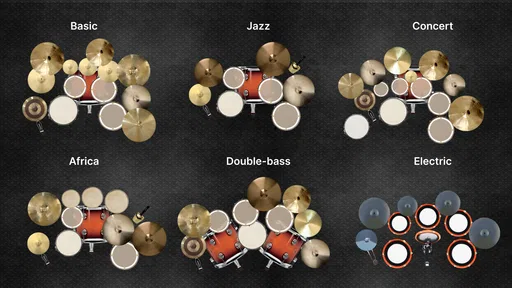
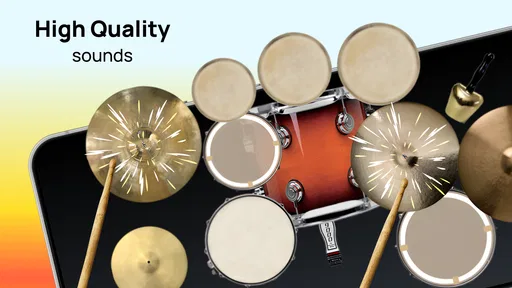
The app offers a variety of drum kits to choose from, ranging from classic acoustic kits to electronic ones. You can switch between these with just a tap, making it feel like you’ve got a whole music store at your fingertips. The sound quality is surprisingly good, with crisp and realistic drum sounds that make you feel like you’re in a live concert.
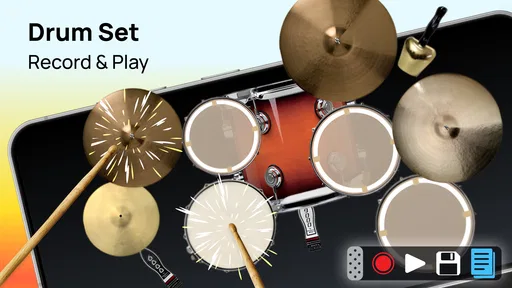
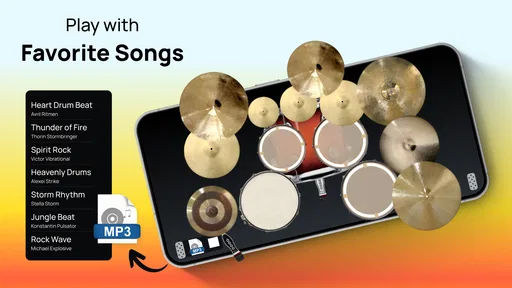
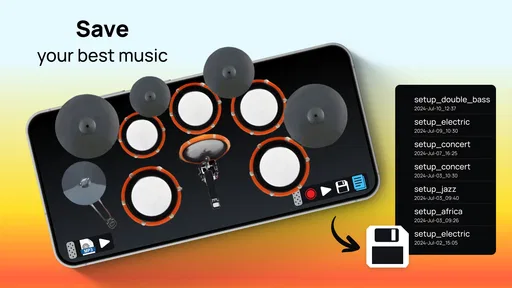
One of the standout features for me is the recording option. You can easily record your sessions and play them back, which is perfect for tracking your progress or just showing off to your friends. Plus, there are several built-in tracks you can drum along to, which is a fantastic way to practice keeping time and rhythm.
Recording is most useful when I treat it as a listening exercise, not just a way to save a performance. After a take, I’d listen for one specific thing—whether the beat stays steady, whether a fill arrives too early, or whether one hand seems to dominate. Then I’d try the same pattern again with that single point in mind. This makes a short session feel purposeful and avoids the trap of recording lots of takes without learning much from them.
Built-in tracks can give a session some musical context, but they also change what you are practicing: playing along asks you to follow an existing pulse, while tapping a rhythm alone gives you more freedom to experiment. I would alternate between the two. Start with a simple pattern on a track, then try to reproduce the feel without it. That small switch helps distinguish keeping time from merely reacting to accompaniment.
User Experience: Smooth and Fun
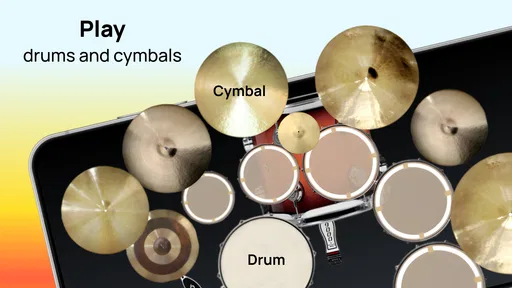
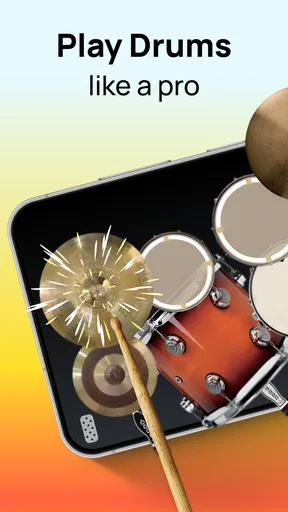
Playing the drums on a tiny screen might sound challenging, but the developers have done a fantastic job at making it feel natural. The response is quick, and the touch sensitivity is spot on. It’s as close as you can get to hitting real drums with your fingers.
I also love the customization options. You can adjust the drum layout and tweak the sound settings to your liking. This makes the app not just a tool for fun, but a valuable practice resource for drummers of all levels.
Layout adjustments have a practical purpose beyond making the screen look comfortable. Before trying a fast beat, I’d arrange the kit so the pieces I use most are easy to reach and then repeat a slow pattern to check that my fingers are not colliding or stretching awkwardly. A layout that works for a relaxed groove may be less comfortable at speed, so it is worth checking again when you change the kind of rhythm you are practicing.
The phone itself affects the experience, too. A small display can make precise placement harder, while a larger one gives your fingers more room; either way, the screen remains a limited playing surface. If taps seem inconsistent, I would first slow the pattern down and pay attention to where my fingers land before blaming the rhythm or trying to play faster. That is a useful distinction for beginners who are still learning to coordinate their hands.
Learning and Improving: A Drummer’s Playground
For those just starting out, the app provides a series of lessons and exercises. These are incredibly helpful for learning basic drum patterns and improving your skills. The lessons are well-structured and gradually increase in difficulty, so you never feel overwhelmed.
There’s also a community aspect within the app where you can share your recordings and get feedback. It’s a great way to connect with other drum enthusiasts and learn from each other.
For month-to-month value, the important question is whether the lessons and recording tools support a repeatable habit. I would keep sessions deliberately short and revisit a pattern rather than jumping between activities every time. A modest routine—one exercise, one attempt at a track, and a quick listen to a recording—can give the app a purpose beyond passing time. If I stop feeling curious about the next practice session, though, a large collection of sounds or exercises would not by itself make me return.
Community feedback can be encouraging, but I would use it selectively. A recording may invite reactions to the whole performance, while a useful practice question is narrower: does the pulse stay even, or does a transition feel rushed? Sharing a clip with one clear question makes feedback easier to apply. If you prefer practicing privately, the recording and playback loop can still be useful without making community participation the reason to keep the game installed.
When a phone kit is—and is not—the right tool
Compared with rhythm games that focus on hitting notes at the right moment, this kind of virtual drum set is more directly about tapping the kit and shaping a beat. That freedom can be appealing if you want to experiment, but players who prefer a clear score, a strict progression, or a competitive challenge may be happier with a more structured rhythm game. On the other hand, someone trying to develop real stick technique should practice on an actual practice pad or drum kit when possible; a touchscreen cannot reproduce the rebound and movement those instruments demand.
I would recommend this game most readily to curious beginners, casual players, and drummers who want a convenient way to sketch a rhythm or revisit basic patterns away from their equipment. I would be more cautious about recommending it to someone who expects lessons on the phone to replace a teacher, or to a player who needs the sound and physical response of a full kit to stay motivated. The best fit is someone who enjoys experimenting in short bursts and understands the phone is a companion, not a substitute.
A realistic everyday use might be a few minutes after work: open the app, pick a familiar pattern, play it slowly, record one attempt, and listen once before putting the phone away. If the recording reveals a stumble, that gives the next session a specific focus. If the exercise instead turns into tapping randomly while waiting for something else, that is still harmless entertainment—but it may not build a habit or provide much reason to return.
Keeping the habit without turning it into a chore
For a mobile game, maintenance is mostly about deciding whether it earns space and attention on your device. It has over 10 million installs, and the current version is 20240320; those details suggest an established app, but they do not tell me whether a particular player will enjoy returning to it. I would judge that by whether the controls remain comfortable, whether the exercises give me a useful next step, and whether I actually use the recording or tracks after the first few sessions.
There is also a financial choice to make if you explore optional purchases. The game is free to start, with in-app purchases ranging from $0.99 to $99.99 per item. I would begin with the free experience and only consider spending if I can identify something I use regularly and know what it adds for my own routine. A music game’s core value should be clear before paying; a purchase is not a fix for a practice habit that has already faded.
Fatigue is most likely when every session becomes the same tapping exercise, when the small screen feels cramped, or when you expect an app to provide the satisfaction of playing a physical instrument. To keep it fresh, I would change one thing at a time: work on a different pattern, use a track instead of playing alone, or record a take and focus on a new detail during playback. If those small changes still do not make the session enjoyable, it may simply be time to move on rather than force a routine.
It is also worth thinking about where and how you play. This is a quiet alternative to an acoustic kit in the sense that you are interacting with a phone rather than striking full-size drums, so it can suit a quick practice break when setting up instruments is impractical. But playing on a phone in a noisy or distracting place may make it harder to hear what you are doing. I find it more useful to choose a few calm minutes than to expect meaningful practice from constant interruptions.
Final Thoughts: Drum Away!
Overall, Drum Set - Drumming App is a fantastic app for anyone interested in drumming. It's easy to use, packed with features, and offers a realistic drumming experience right on your smartphone. Whether you’re looking to improve your drumming skills or just want to have some fun, this app has got you covered.
So, grab your headphones, fire up the app, and get ready to unleash your inner drummer. You won’t regret it!
My longer-term verdict is more measured: I would keep it installed if I regularly used the lessons, played along with the tracks, or listened back to recordings with a specific goal. If I only opened it for a burst of novelty, I would not mistake that for lasting practice value. The strongest reason to try it is convenience; the clearest reason to choose something else is needing the physical technique, structured challenge, or sustained motivation that a phone-based drum set cannot provide.
Pros
- Realistic drum sounds enhance the experience.
- Customizable kits for personalized play.
- Responsive touch controls feel intuitive.
- Wide variety of percussion instruments.
- Metronome feature aids in practice.
Cons
- Intrusive ads disrupt gameplay.
- Limited free features without upgrade.
- Audio latency on older devices.
- No offline mode available.
- In-app purchases can be pricey.
FAQs for Drum Set - Drumming App
What features does the Drum Set app offer?
The Drum Set app offers a wide range of features, including multiple drum kit options, customizable sound settings, and high-quality audio samples. Users can also enjoy a user-friendly interface, metronome support, and the ability to record and share their sessions. These features make it perfect for both beginners and advanced drummers.
Is the Drum Set app suitable for beginners?
Yes, the Drum Set app is designed to be user-friendly and accessible for beginners. It includes tutorials and practice modes to help new drummers learn the basics of rhythm and drumming techniques. The intuitive layout makes it easy for users to navigate and start playing right away, making it ideal for novices.
Does the Drum Set app require an internet connection?
No, the Drum Set app does not require an internet connection for its core functionalities. You can use the app offline to practice and play your favorite drum beats. However, features like cloud saving or sharing your recordings might require internet access to function properly.
Is the Drum Set app free to download and use?
The Drum Set app is free to download with basic features available to all users. However, there may be in-app purchases or subscriptions available that unlock additional features, such as premium drum kits, advanced tutorials, or an ad-free experience. This allows users to enhance their drumming experience as desired.
Can I connect the Drum Set app to external devices?
Yes, the Drum Set app supports connectivity to external devices like Bluetooth speakers and MIDI controllers. This feature enhances the overall drumming experience by allowing users to amplify their sound or integrate with other music production tools. Ensure your device’s compatibility for optimal performance.


